What You'll Learn

Course Overview

This eBook-style course provides a comprehensive introduction to Python programming, one of the world's most popular and versatile programming languages. You'll learn Python fundamentals, syntax, data structures, and practical applications. By the end, you'll be able to write Python scripts, solve problems programmatically, and build a foundation for specialized Python development.

  • 8 Comprehensive Chapters
  • Hands-on coding examples and exercises
  • Real-world application projects
  • Final Assessment for Certification

Chapter 1: Getting Started with Python

What is Python?

Python is a high-level, interpreted programming language known for its clear syntax and readability. Created by Guido van Rossum and first released in 1991, Python emphasizes code readability and allows programmers to express concepts in fewer lines of code than languages like C++ or Java.

Why Learn Python?

  • Beginner-friendly with simple, English-like syntax
  • Versatile applications (web development, data science, automation, AI)
  • Large community support and extensive libraries
  • High demand in the job market
  • Cross-platform compatibility

Setting Up Your Python Environment

  • Installing Python on Windows, macOS, and Linux
  • Using IDLE and other Python IDEs (PyCharm, VSCode)
  • Running Python in interactive mode
  • Writing and executing your first Python script

Chapter 2: Python Syntax and Basic Concepts

Python Syntax Fundamentals

Python uses indentation to define code blocks instead of braces, making it highly readable. Understanding basic syntax is crucial for writing correct Python code.

Variables and Data Types

  • Variables: Naming conventions and assignment
  • Basic data types: integers, floats, strings, booleans
  • Type conversion and checking
  • Dynamic typing in Python

Basic Operations

  • Arithmetic operations (+, -, *, /, %, **)
  • Comparison operations (==, !=, >, <, >=, <=)
  • Logical operations (and, or, not)
  • String operations and concatenation

Input and Output

  • Getting user input with input() function
  • Displaying output with print() function
  • Formatting output with f-strings and format() method

Chapter 3: Control Flow and Functions

Control flow statements allow your program to make decisions and repeat actions, while functions help you organize code into reusable blocks.

Conditional Statements

  • if, elif, else statements
  • Nested conditionals
  • Ternary operators
  • Truthy and falsy values in Python

Loop Structures

  • for loops: iterating over sequences
  • while loops: repeating while condition is true
  • Loop control: break, continue, and pass statements
  • Nested loops and practical applications

Functions

  • Defining and calling functions
  • Parameters and arguments
  • Return values
  • Scope and namespace concepts
  • Lambda functions (anonymous functions)

Chapter 4: Data Structures

Lists

Lists are ordered, mutable collections that can hold heterogeneous data types. They are one of Python's most versatile data structures.

Other Core Data Structures

  • Tuples: Ordered, immutable sequences
  • Dictionaries: Key-value pairs for storing data
  • Sets: Unordered collections of unique elements
  • Choosing the right data structure for your needs

Working with Data Structures

  • Accessing elements by index or key
  • Adding and removing elements
  • Iterating through data structures
  • List comprehensions for concise creation
  • Common methods and operations for each structure

Chapter 5: Working with Files and Modules

File Handling

Python provides built-in functions for reading from and writing to files, allowing programs to persist data beyond a single execution.

File Operations

  • Opening and closing files
  • Reading files: read(), readline(), readlines()
  • Writing to files: write(), writelines()
  • Working with different file formats (text, CSV, JSON)
  • Exception handling for file operations

Modules and Packages

  • Importing and using built-in modules
  • Creating your own modules
  • Understanding the Python Standard Library
  • Installing third-party packages with pip
  • Virtual environments for project isolation

Chapter 6: Error Handling and Debugging

Understanding Errors in Python

Python errors fall into two main categories: syntax errors and exceptions. Learning to handle exceptions gracefully is key to writing robust code.

Exception Handling

  • try, except blocks
  • Handling specific exceptions
  • Finally clause for cleanup actions
  • Else clause for successful execution paths
  • Raising exceptions with raise statement

Debugging Techniques

  • Using print statements for debugging
  • Python debugger (pdb) basics
  • Debugging in IDEs like PyCharm and VSCode
  • Common Python errors and how to fix them

Chapter 7: Object-Oriented Programming in Python

OOP Concepts

Object-Oriented Programming (OOP) allows you to structure your code around objects rather than functions and logic. Python supports all four pillars of OOP.

Classes and Objects

  • Defining classes with the class keyword
  • Creating objects (instances of classes)
  • The __init__ method (constructor)
  • Instance attributes and methods
  • The self parameter

OOP Principles

  • Encapsulation: Bundling data and methods
  • Inheritance: Creating child classes
  • Polymorphism: Using a unified interface
  • Abstraction: Hiding complex implementation

Special Methods

  • String representation with __str__ and __repr__
  • Operator overloading with special methods
  • Other useful special methods

Chapter 8: Next Steps and Real-World Applications

After mastering Python fundamentals, you can explore specialized areas based on your interests and career goals.

Python Specializations

  • Web Development: Django, Flask frameworks
  • Data Science: NumPy, Pandas, Matplotlib
  • Machine Learning: Scikit-learn, TensorFlow, PyTorch
  • Automation: Scripting, task automation
  • Game Development: Pygame library

Building Projects

  • Choosing appropriate beginner projects
  • Breaking down problems into programmable steps
  • Testing and refining your code
  • Sharing your work on GitHub

Continuing Your Python Journey

  • Python documentation and community resources
  • Following Python enhancement proposals (PEPs)
  • Staying updated with Python releases
  • Contributing to open-source Python projects

Certification & Assessment

After completing all chapters, you need to pass the final assessment to receive a certificate of completion. The assessment will evaluate your understanding of Python syntax, problem-solving abilities, and coding skills. Scoring 50% or higher ensures certification.

Instructor

SK

Content Generated by AI under the supervision of SK Institute

Govt Of India Regd Institute

4.8
Instructor Rating
125,670
Students

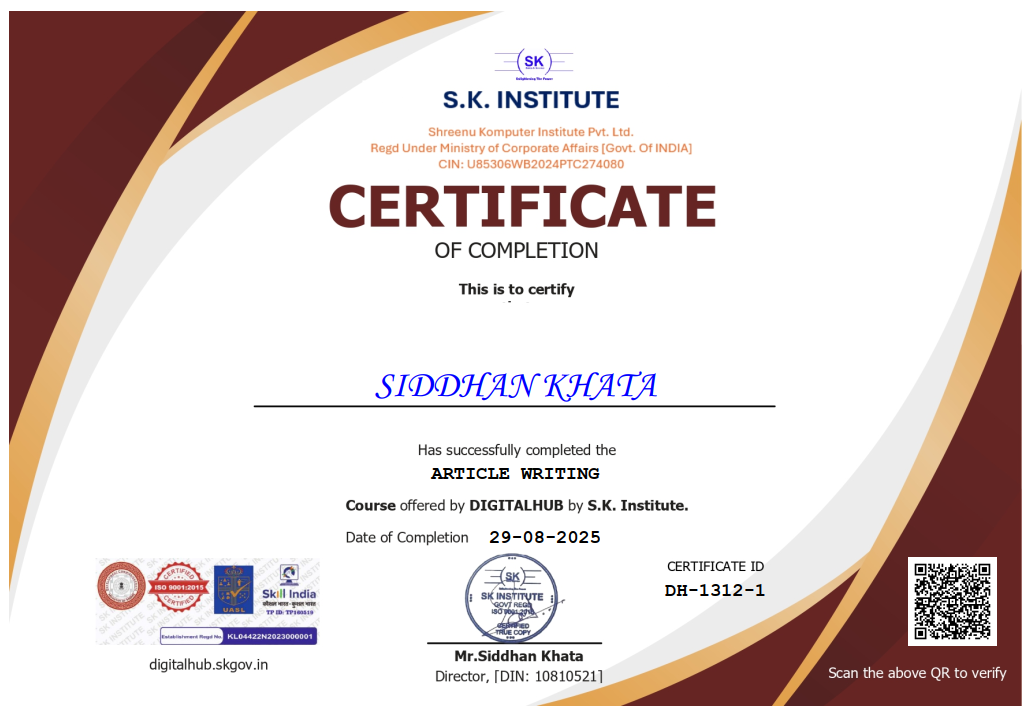
Get Certified

Complete this course and pass the assessment to receive your certificate
Get Certified Now

Course Assessment

Test your knowledge and earn your certificate by taking the final assessment

10 Questions only

MCQ Based

50% to Pass

Score 50% or higher to receive Paid certification

Take Assessment Now

Frequently Asked Questions

You will get the certificate after completion of assessment by paying the respective fees.

Yes, our certificate is valid globally and got approved in top MNCs like Flipkart, Amazon, PayPal, SAP and even in Google.

Adding more than 5 certificates in your CV will be beneficial to you.

We are a Government of India registered institute, so don't worry about it.

Instantly after completing the assessment.

No, we trust you. First pass the exam, then click on the "Get Certificate" button, then pay the desired fees and unlock the certificate.

No worries! Just drop an email to digitalhub@skgov.in or call +919051767274 or WhatsApp +91 9051767274 within office hours (Monday - Saturday, 10 AM to 7 PM).

We have a global verification system. Just put your certificate number or email address and your verification page will appear with a link.

You will get it via email. If any issue arises, feel free to contact us.