What You'll Learn

Course Overview

This comprehensive tutorial will take you from HTML5 basics to advanced features. Each chapter includes explanations, examples, and best practices to help you become proficient in modern web development.

  • 12 Detailed Chapters covering all HTML5 features
  • Code examples and practical exercises
  • Best practices and accessibility guidelines
  • Final assessment for certification

Chapter 1: Introduction to HTML5

What is HTML5?

HTML5 is the latest version of HyperText Markup Language, the code that describes web pages. It's actually three kinds of code: HTML, which provides the structure; CSS, which takes care of presentation; and JavaScript, which makes things happen.

Why HTML5 Matters

  • Improved semantics with new elements like <header>, <footer>, <article>, and <section>
  • Enhanced support for multimedia with <audio> and <video> elements
  • Better accessibility features
  • Cross-platform compatibility for mobile devices

Basic HTML5 Document Structure

<!DOCTYPE html>
<html lang="en">
<head>
  <meta charset="UTF-8">
  <meta name="viewport" content="width=device-width, initial-scale=1.0">
  <title>Document Title</title>
</head>
<body>
  <!-- Content goes here -->
</body>
</html>
Note: The <!DOCTYPE html> declaration must be the very first thing in your HTML document, before the <html> tag. This declaration is not an HTML tag; it is an instruction to the web browser about what version of HTML the page is written in.

Chapter 2: Text Formatting & Semantic Elements

HTML5 Semantic Elements

Semantic elements clearly describe their meaning to both the browser and the developer. Examples of semantic elements: <form>, <table>, and <article> - clearly define their content.

Text Formatting Tags

  • <h1> to <h6>: Headings
  • <p>: Paragraphs
  • <strong>: Important text (bold)
  • <em>: Emphasized text (italic)
  • <mark>: Highlighted text
  • <small>: Smaller text

Code Example

<article>
  <header>
    <h1>Article Heading</h1>
  </header>
  <p>This is a <strong>important</strong> paragraph.</p>
  <footer>
    <p>Published on <time datetime="2023-09-20">September 20, 2023</time></p>
  </footer>
</article>
Tip: Use semantic elements whenever possible. They improve SEO and accessibility by providing clearer document structure.

Chapter 3: Links, Images, and Multimedia

Creating Links

The <a> tag defines a hyperlink, which is used to link from one page to another. The most important attribute is the href attribute, which indicates the link's destination.

Adding Images

The <img> tag is used to embed an image in an HTML page. The src attribute specifies the path to the image, and the alt attribute provides alternative text for accessibility.

HTML5 Multimedia

HTML5 introduced the <audio> and <video> elements for embedding multimedia content.

Code Example

<!-- Link example -->
<a href="https://example.com" target="_blank">Visit Example.com</a>

<!-- Image example -->
<img src="image.jpg" alt="Description of image" width="500">

<!-- Video example -->
<video width="320" height="240" controls>
  <source src="movie.mp4" type="video/mp4">
  Your browser does not support the video tag.
</video>
Important: Always include the alt attribute for images. This is crucial for accessibility and SEO.

Chapter 4: Lists and Tables

HTML Lists

HTML lists allow web developers to group a set of related items in lists. There are three types of lists:

  • Unordered lists (<ul>) - items are marked with bullets
  • Ordered lists (<ol>) - items are marked with numbers or letters
  • Description lists (<dl>) - items are described with terms and descriptions

HTML Tables

HTML tables allow web developers to arrange data into rows and columns. A table is defined with the <table> tag.

Code Example

<!-- Unordered list -->
<ul>
  <li>Item 1</li>
  <li>Item 2</li>
</ul>

<!-- Table -->
<table>
  <tr>
    <th>Name</th>
    <th>Age</th>
  </tr>
  <tr>
    <td>John</td>
    <td>25</td>
  </tr>
</table>
Tip: Use tables for tabular data only, not for page layout. For layout, use CSS Flexbox or Grid.

Chapter 5: Forms and Input Elements

HTML Forms

HTML forms are used to collect user input. The <form> element is a container for different types of input elements, such as text fields, checkboxes, radio buttons, submit buttons, etc.

HTML5 Input Types

HTML5 introduced several new input types: email, url, tel, search, number, range, date, color, and more.

Code Example

<form action="/submit" method="post">
  <label for="name">Name:</label>
  <input type="text" id="name" name="name" required>

  <label for="email">Email:</label>
  <input type="email" id="email" name="email" required>

  <label for="message">Message:</label>
  <textarea id="message" name="message"></textarea>

  <input type="submit" value="Submit">
</form>
Note: Always use the <label> element for better accessibility. The for attribute should equal the id attribute of the input element.

Chapter 6: HTML5 APIs Overview

HTML5 introduced several JavaScript APIs that allow you to create more dynamic and interactive web applications. These include:

  • Canvas API for drawing graphics
  • Geolocation API for location data
  • Web Storage for local data storage
  • Drag and Drop API
  • Web Workers for background processing

Certification & Assessment

After completing all chapters, you need to pass the final assessment to receive a certificate of completion. Scoring 50% or higher ensures certification.

The assessment will test your understanding of HTML5 concepts, semantic markup, form creation, and accessibility practices.

Instructor

SK

Content Generated by AI under the supervision of SK Institute

Govt Of India Regd Institute

4.8
Instructor Rating
125,670
Students

Get Certified

Complete this course and pass the assessment to receive your certificate
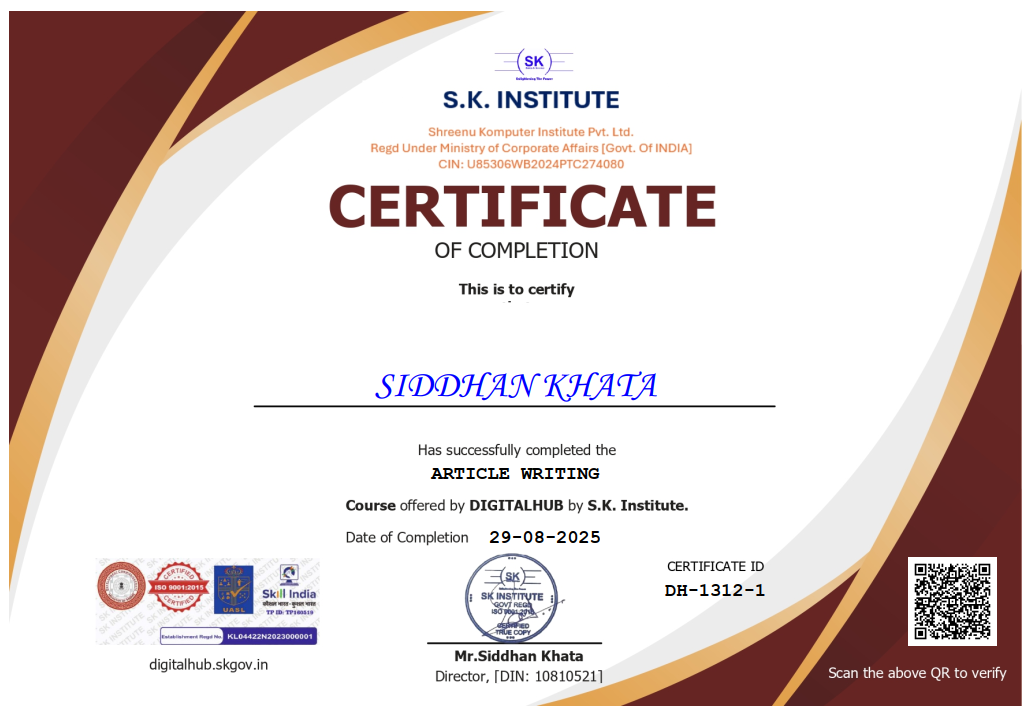
Get Certified Now

Course Assessment

Test your knowledge and earn your certificate by taking the final assessment

10 Questions only

MCQ Based

50% to Pass

Score 50% or higher to receive Paid certification

Take Assessment Now

Frequently Asked Questions

You will get the certificate after completion of assessment by paying the respective fees.

Yes, our certificate is valid globally and got approved in top MNCs like Flipkart, Amazon, PayPal, SAP and even in Google.

Adding more than 5 certificates in your CV will be beneficial to you.

We are a Government of India registered institute, so don't worry about it.

Instantly after completing the assessment.

No, we trust you. First pass the exam, then click on the "Get Certificate" button, then pay the desired fees and unlock the certificate.

No worries! Just drop an email to digitalhub@skgov.in or call +919051767274 or WhatsApp +91 9051767274 within office hours (Monday - Saturday, 10 AM to 7 PM).

We have a global verification system. Just put your certificate number or email address and your verification page will appear with a link.

You will get it via email. If any issue arises, feel free to contact us.